
Creating a copy of a material
To copy a Material:
-
Go to your Material List page.

- Select the material you'd like to create a copy of
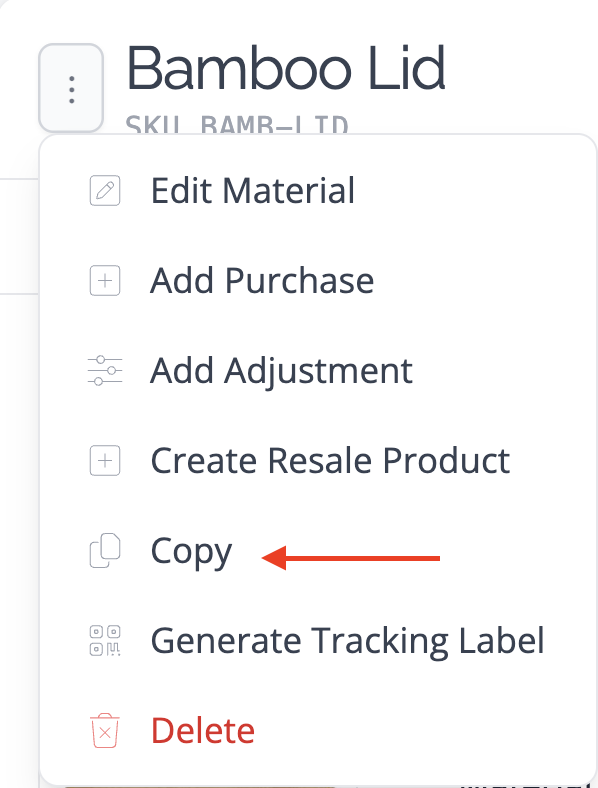
- Hover your mouse over the ⋮ icon next to the name of the material.
-
Select Copy Material from the menu.
-
Enter a new name for the Material on the form that appears.
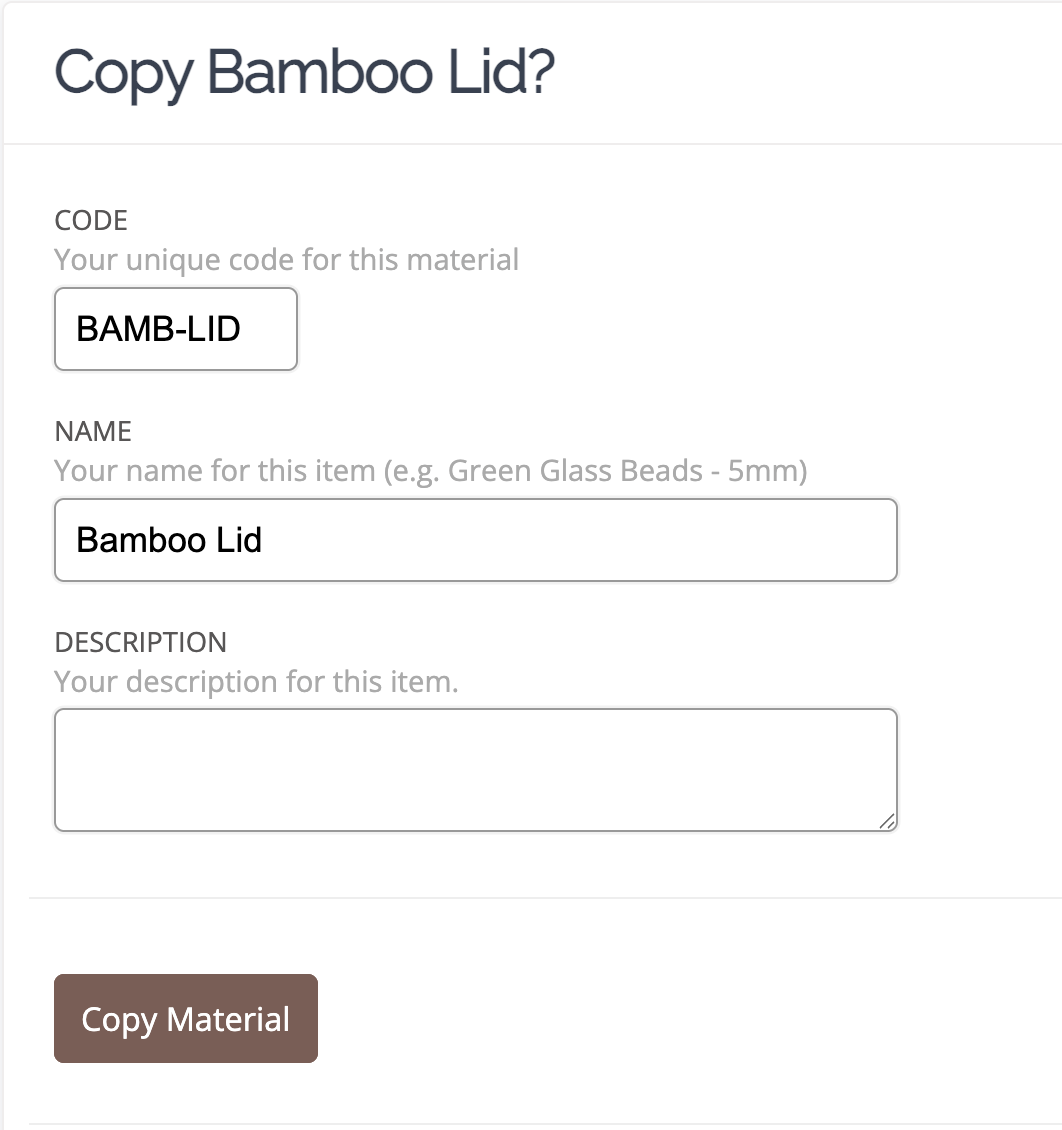
- Click the Copy Material button.
The copy will not copy across any purchases associated with the original material – these will need to be added after the copy has been created.