
Refresh a listing from Etsy
Listing data can be updated from Etsy or Shopify individually, or you can use each integration's data pull to update all Listings in a particular date range.
Resync currently works for Etsy and Shopify listings only
To update a single Listing:
-
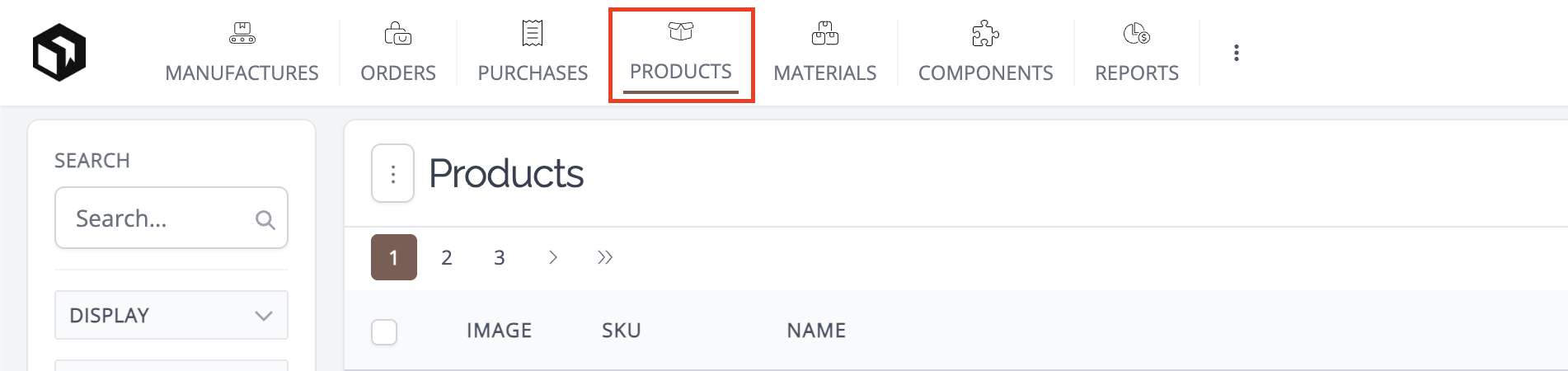
Go to your Products List and click on the product currently linked to the listing you wish to update.
-
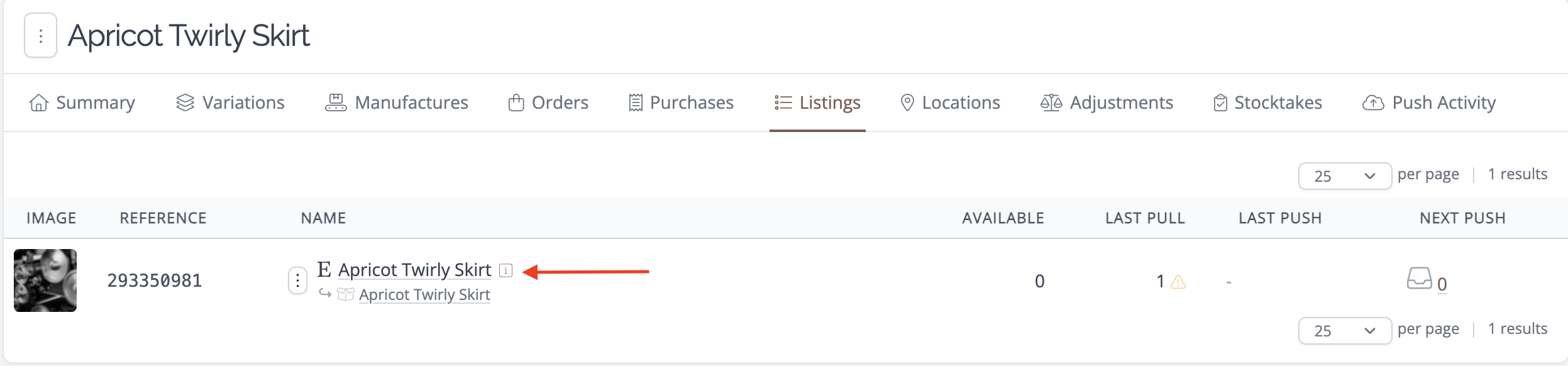
On the product detail page that appears, click on the Listings tab.

-
Click the name of the listing you wish to update.
-
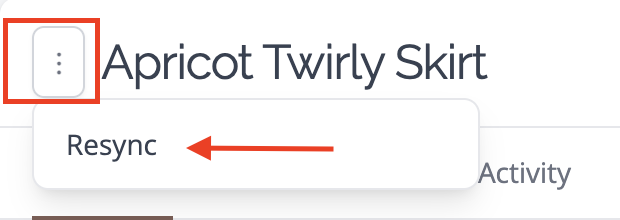
On the listing detail page that appears, click on the vertical ellipsis, then click the Resync button.
Updating your Listing will NOT update product data. As products can be linked to many listings across multiple Integrations, any changes to the title, description, or photo on the listing must be manually updated on the product if it already exists in the app.
Need Help?
Still have questions about using Listings in your account? Please get in touch, and we'll be happy to help.