
How to calculate COGS in Stocksmith
Learn how the Cost of Goods Sold (COGS) is calculated in your account
COGS is shorthand for “Cost of Goods Sold.” This figure is essentially what it costs you in materials to create the products you sell.
How to calculate your COGS in the app
To calculate your COGS for the IRS requires six different figures:
- Inventory at the beginning of the year
- Purchases (Less Personal Use)
- Inventory at the end of the year
- Cost of External Labor
- Materials & Supplies
- Other Costs
We'll show you how to obtain these tallies from your reports.
Inventory at the Beginning of the Year
The total value of all materials in stock on the first day of the year, plus the material cost of all unshipped stock.
Note: Your internal labor costs are not included in this total; they are materials costs only.
To generate this number
- Navigate to your Schedule C Guidance report
- Run this report for the date range of the date range required
-
Take the number next to the section called "Inventory at Beginning of Year".
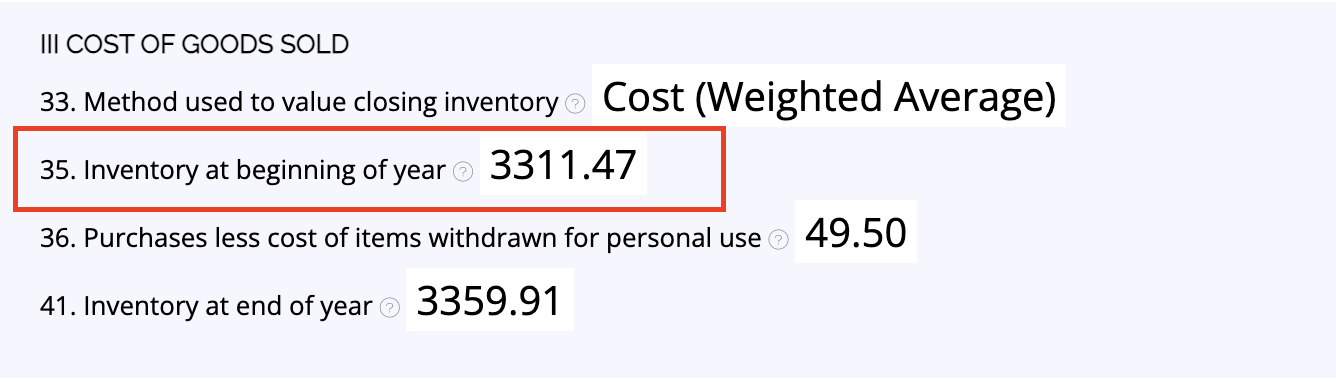
Alternatively, you can generate this tally via your Material Valuation Summary report by running the report for the date range required and taking the number in the Total Value row in the Starting Value column.
Purchases (Less Personal Use)
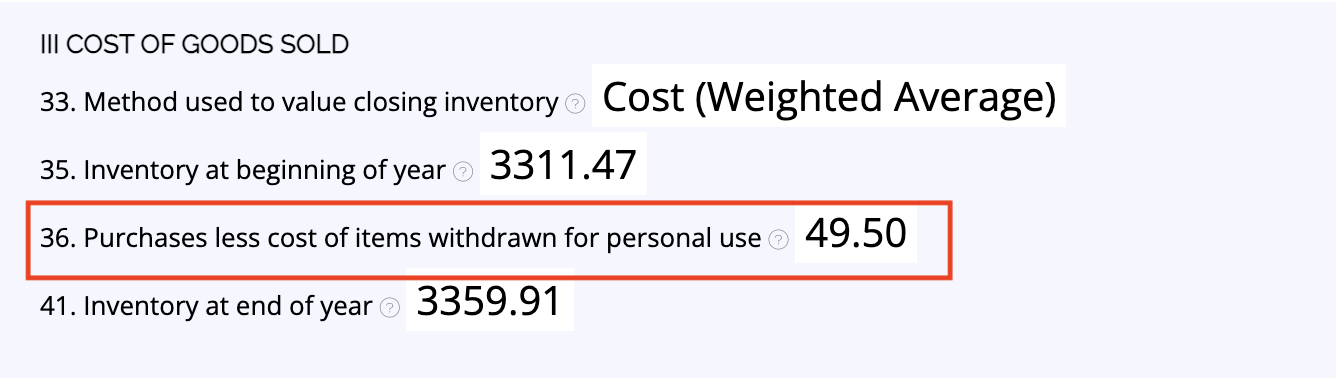
This is your total material expenses for the year, minus any materials or products you have removed from your inventory for Personal Use.
To generate this number
- Navigate to your Schedule C Guidance report
- Run this report for the date range of the date range required
-
Take the number next to the section called Purchases less cost of items withdrawn for personal use.
Inventory at End of Year
The total value of all materials in stock on this date, plus the material cost of all unshipped stock. Note: Your internal labor costs are not included in this total; they are materials costs only.
To generate this number
- Navigate to your Schedule C Guidance report,
- Run this report for the date range of the year you need this report for
-
Take the number next to the section called "Inventory at End of Year".
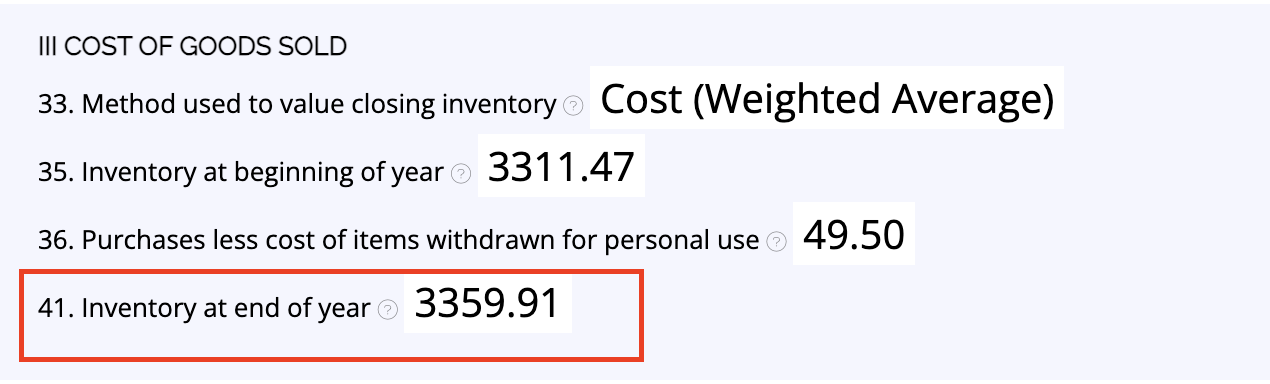
Alternatively, you can generate this tally via your Material Valuation Summary report by running the report for the date range required and taking the number under the Total Value row in the Ending Value column.
Cost of External Labor
If you have employed anyone to assist you with your business during the year, then you would account for this cost here. Keep in mind that this cost is mainly for official employees (who will have a W2). Contracted and casual workers should instead be factored into Part II, Line 11.
If you have been tracking external labor as an overhead expense with a specific category in the app, you can use the Purchase Categories Report to generate this number (if you are tracking in this way, you'll want to ensure you remove this category and tally from your Part II)
Materials & Supplies
This section is reserved for any materials and supplies not already included in your start and end inventory totals above that are also not being claimed as supplies in Part II.
If you have been tracking extra materials and supplies as an overhead purchase with a specific category in the app, you can use the Purchase Categories Report to generate this number (if you are tracking in this way, you'll want to ensure you remove this category and tally from your Part II)
Other Costs
This section is to provide a way of accounting for any other costs directly related to your products that don’t fit into the available categories above.
If you have been tracking other costs as an overhead purchase with a specific category in the app, you can use the Purchase Categories Report to generate this number (if you are tracking in this way, you'll want to ensure you remove this category and tally from your Part II)
Still need help?
If none of these steps seem to correct the issue, please contact our support team for help.